the solution

Google Ads Budget for Contractors: How Much to Spend and How to Allocate It

Setting the right Google Ads budget is one of the most important decisions contractors make when trying to generate consistent leads. This guide explains how much contractors should spend on Google Ads, how to allocate budget based on competition and service type, and how to tie ad spend directly to revenue goals.

Adrian Garcia

Ad Strategist
Last Updated:
December 23, 2025
6 minute read

Key Takeaways:

  • Google Ads budgets for contractors should be based on data and revenue goals, not guesswork or what feels affordable.
  • Underfunded campaigns struggle to gather enough data and often fail before Google’s algorithm can optimize.
  • Most contractors need at least $1,500–$3,000 per month in ad spend to generate consistent Google Ads results.
  • Competition, market size, and location directly impact cost per click and required budget.
  • Higher-income areas cost more to advertise in but often produce higher-value projects.
  • Emergency and repair services convert faster and at lower cost, while remodel and build services require higher budgets but deliver larger projects.
  • Google’s algorithm performs best when campaigns have enough budget to exit the learning phase.
  • Contractors should calculate budgets starting from revenue goals, average project value, close rate, and expected cost per lead
  • Cost per lead is less important than cost per booked project and overall profitability.
  • Local Services Ads can supplement Google Ads but are limited in volume and control.
  • Google Ads becomes scalable and predictable when budget, targeting, and expectations are aligned.

How Contractors Should Allocate Their Google Ads Budget (Ideal Google Ads starter budget recommendation below)

For contractors, one of the toughest questions about digital marketing is how much to spend on Google Ads. Too often, budgets are set as guesses — whatever feels affordable in the moment — instead of numbers tied to competition, service demand, and real revenue goals.

The result? Underfunded campaigns that never get off the ground, or bloated spends that fail to target the right customers.

Done right, your Google Ads budget doesn’t just buy clicks. It builds a predictable pipeline of leads and projects that can scale with your contracting business.

Why Budget Planning Matters for Contractors

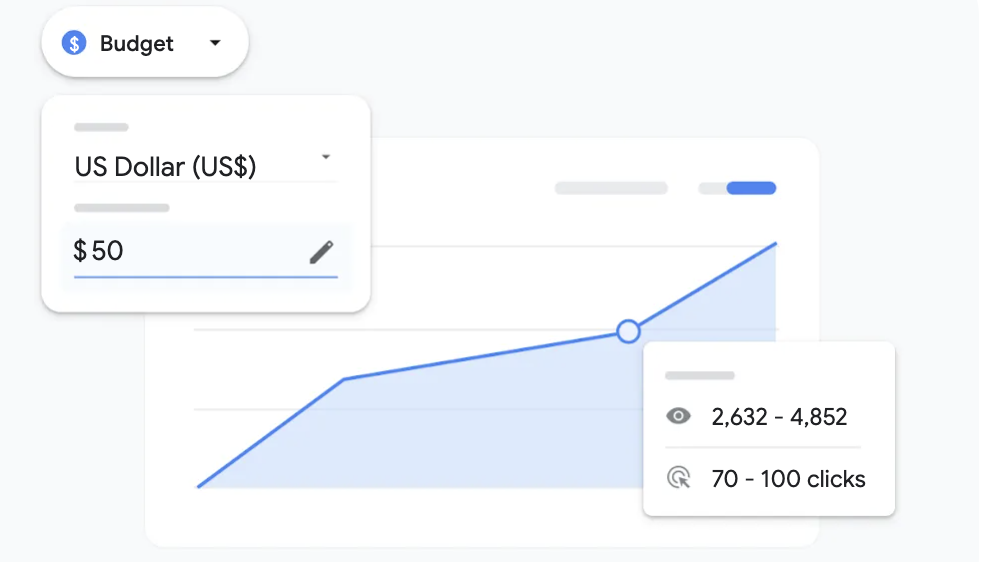
Google Ads is not a flat-fee service. It works like an auction. Contractors with competitive budgets win more impressions, clicks, and conversions. Those who underfund campaigns simply get pushed aside by competitors.

Budget planning matters because it ensures you have enough runway to let the algorithm learn, optimize, and consistently place your ads in front of homeowners when they’re searching. If you spend too little, you’ll drop out of auctions, miss impressions, and see sporadic results. If you plan strategically, Google Ads becomes one of the most scalable lead generation tools available to contractors.

"The fact of the matter is that Most contractors need at least $1,500–$3,000 per month in ad spend for Google Ads just to start generating consistent data and leads."

Key Factors That Shape a Contractor’s Google Ads Budget

  1. Competition
    In big metro areas, cost per click (CPC) is higher because more contractors are bidding. In smaller towns, CPCs are lower, but search volume is also limited. Your budget has to align with the competitive landscape.
  2. Market Research
    Look at average CPCs in your trade. For example, “kitchen remodel contractor near me” might cost $10–$20 per click, while “emergency plumbing contractor” might run $30–$40. Knowing your benchmarks helps you set realistic budgets.
  3. Demographics and Location
    Higher-income zip codes cost more to advertise in because the jobs are higher value. A $200 lead in an affluent neighborhood can be more profitable than a $50 lead in a budget neighborhood.
  4. Service Intent
    The type of service you advertise makes a huge difference:
    • High-urgency intent (repairs, emergency calls) converts quickly and leads are cheaper.
    • Research-heavy intent (remodels, additions, custom builds) takes longer to convert. These leads are more expensive, but also deliver higher-ticket jobs.

How Google’s Algorithm Treats Budgets

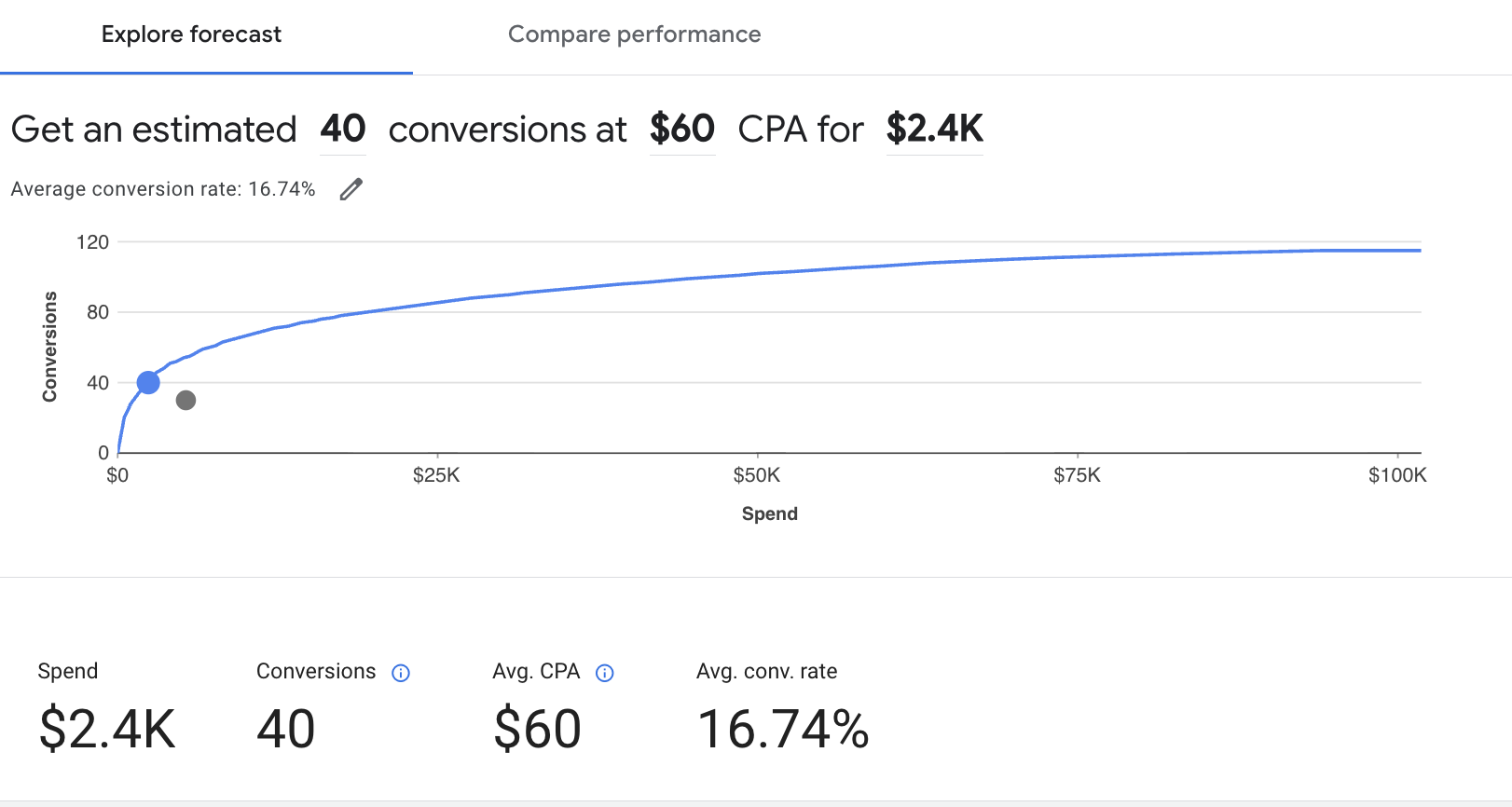
Google’s algorithm favors campaigns that are competitive enough to gather consistent data. If your budget is too small, your campaign never leaves the “learning” phase. Ads appear sporadically, and you draw the wrong conclusion that “Google Ads doesn’t work.”

Well-funded campaigns, by contrast, generate enough clicks and conversions for the algorithm to optimize. This leads to better targeting, lower costs per lead over time, and a steadier flow of high-quality inquiries.

A Simple Formula for Contractors to Calculate a Google Ads Budget

Here’s a step-by-step way to figure out what to spend:

  1. Define your revenue goal.
    Example: $500,000 in booked projects this year.
  2. Know your average project value.
    Example: $25,000 for a kitchen remodel.
  3. Estimate how many jobs you need.
    $500,000 ÷ $25,000 = 20 projects.
  4. Factor in your close rate.
    If you close 1 in 5 leads (20%), you’ll need 100 leads.
  5. Estimate your cost per lead (CPL).
    Remodel leads might run $150–$250, while repair leads might be $50–$100. Let’s assume $200 for remodel leads.
  6. Multiply.
    100 leads × $200 = $20,000 ad budget for the year.

That’s about $1,600–$1,700 per month in ad spend. Add management and creative fees, and you’ll see a realistic total budget

Results You Can Expect

So what happens when you flip the switch on LSAs? Typically, you’ll see high-intent leads. These are homeowners who are ready to hire now, which makes them valuable. And because LSAs are pay-per-lead rather than pay-per-click, you don’t have to worry about wasting money on irrelevant clicks.

But the limitations are real. Lead volume is capped, and no matter how much budget you pour in, Google will only deliver so many calls in your market. You can’t control keywords or targeting the way you can with Google Ads, and reporting is minimal. For many remodelers, LSAs produce 10 to 30 leads per month. For larger-ticket services like full remodels or custom builds, that volume may be far too low to support growth goals.

start now

Let’s create your next win.

Let’s talk about results like these for your team.
get started
get started

services

001

Lead Gen Systems

Performance-driven campaigns that attract high-intent leads and keep your pipeline full.

002

website & Creative

Clean, conversion-focused design that builds trust and turns interest into action.

003

Brand Identity & Messaging

Strategic branding that builds credibility, aligns your voice, and supports every channel.

004

Search & Content Strategy

SEO and content built to boost visibility, drive organic traffic, and support long-term growth.

005

Growth Strategy & Consulting

Actionable, insight-led marketing plans that prioritize clarity, ROI, and momentum.

Written by Adrian Garcia

Adrian Garcia is a growth marketing strategist and agency founder who helps service businesses generate consistent, high-quality leads with Google Ads, Meta Ads, and more. He began his career over fifteen years ago running lead generation campaigns for landscaping contractors while still in college, then went on to build performance marketing systems for builders, remodelers, nationwide property developers, and multifamily housing brands. Over time, Adrian became known for simplifying complex marketing into clear, repeatable systems that help businesses grow predictably rather than chase the next tactic.

Related articles

start today

Done Reading? Let’s Start Building.

Turn tactics into traction with a strategy built to perform, no guesswork, no fluff, just results.